
 Docs
Docs
HubCreate documentation
Find all the guides and resources you need to get up and running with HubCreate.Workflow Audit Tool
The HubCreate Workflow Audit Tool provides an automated, high-precision review of your HubSpot automation health. Instead of manually clicking through dozens of active workflows to check for errors or inconsistencies, this tool scans your portal to provide a data-driven snapshot of your automation infrastructure. It is designed to give HubSpot Partners a clear "Mental Model" of portal health—identifying exactly where a portal is robust and where it is at risk.
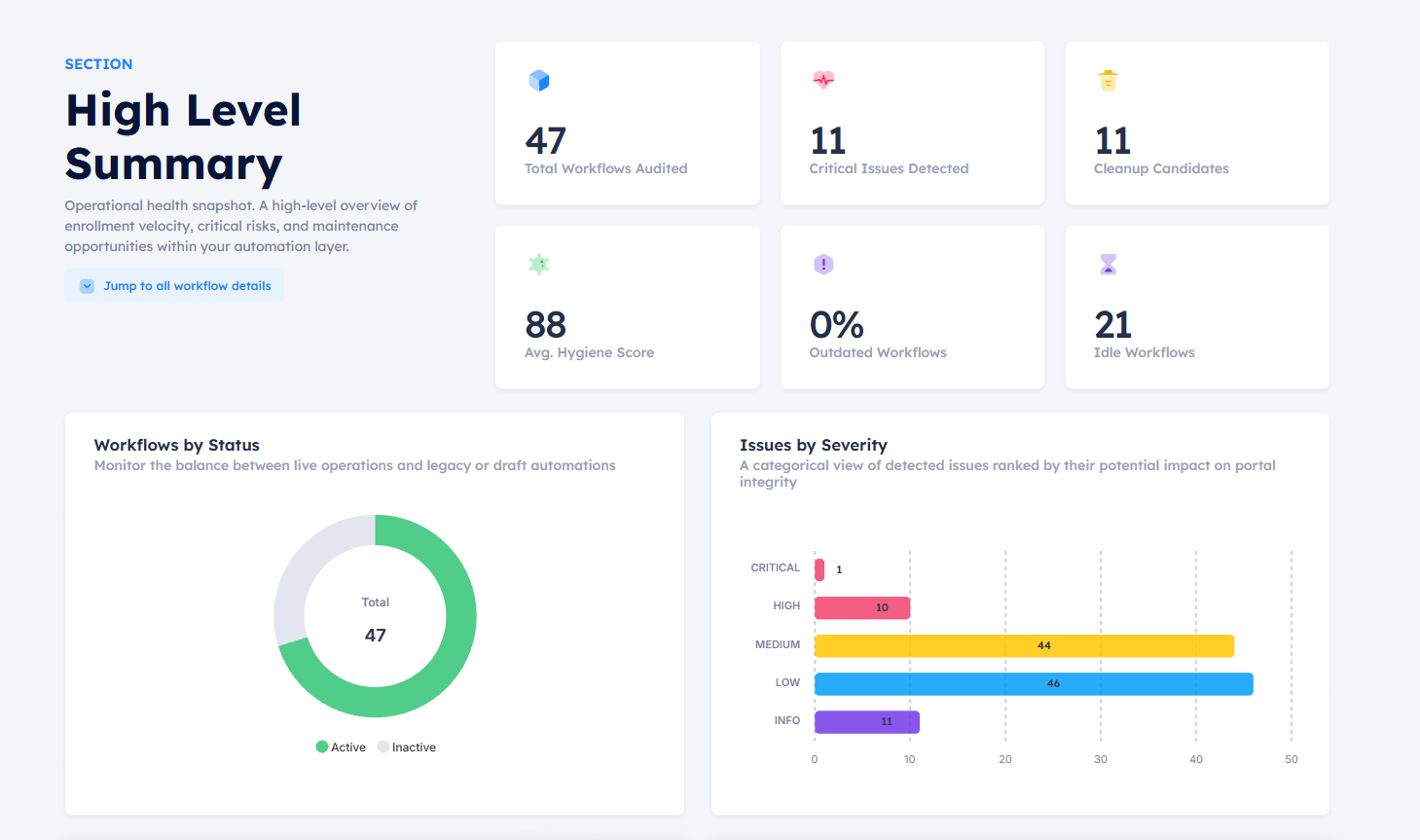
Overview of the Workflow Audit interface and scoring system.
High-Level Summary & Operational Snapshot
The audit begins with an Operational Health Snapshot. This provides a bird's-eye view of enrollment velocity, critical risks, and maintenance opportunities within your automation layer. This section is designed for quick reporting, allowing you to show clients exactly where the "red flags" are without getting lost in the weeds of individual triggers.
Operational Hygiene & Clutter Reduction
Portals naturally accumulate technical debt over time. Our Hygiene module identifies logic that is active but no longer serves a business purpose, helping you prevent automated "collisions." We specifically flag "Ghost Workflows"—those that are active but have zero enrollments—and remnants of old tests or seasonal campaigns that were never turned off.
Activity Health & Trigger Integrity
This section provides real-time enrollment monitoring. We analyze the velocity of your automation to detect:
- Broken Trigger Logic: Sudden drop-offs in performance suggest a broken dependency or integration.
- Trigger Spikes: Unexpected spikes often indicate a "too-broad" trigger or a dangerous loop that is impacting data integrity.
Performance & Reliability (Logic Failures)
Executing automation is only half the battle; ensuring it completes successfully is the other. We identify workflows with high action failure rates or logic bottlenecks. Our Logic Failures report focuses on "broken" internal steps—such as emails failing to send or property syncs failing—even if the initial trigger was successful.
Complete Technical Inventory
The All Workflows Audit section acts as your master inventory. Using advanced filters, you can isolate specific object types, statuses, or severity levels. This is the "Engine Room" for HubSpot Partners to perform bulk maintenance and systematically move a portal back to peak health.
What the Tool Audits
The audit focuses specifically on enabled (active) workflows to ensure you are focusing on the automation currently impacting your data. It supports all major HubSpot object types including Contact, Company, Deal, and Ticket-based workflows. Crucially, the audit is read-only; HubCreate analyzes your logic but will never modify, pause, or delete a workflow during the scanning process.